RTPMIDI Installation and User Guide
Download the .deb debian installation file on your computer. If you are using Ubuntu desktop, you can double-click on the .deb file and it will install the program in /opt/rtpmidi....
With a newer version of apt, the following may also work.
$ sudo apt install ./rtpmidi_2.1.0_amd64.deb
This should unpack the executable and its resources. Check that the executable is found.
$ ls /opt/rtpmidi_2.1.0/bin
-rwxr-xr-x 1 root root 1987960 Jan 18 09:32 rtpmidi
Verifying the Package Signature
You can verify the signature of the package with the dpkg-sig command. First, download our signing key and import it into your GPG keyring. Then, verify the signature of the .deb package.
$ curl -OL# https://mclarenlabs.com/static/keys/rootmclaren_public_key.asc
$ gpg --import rootmclaren_public_key.asc
$ dpkg-sig --verify rtpmidi_2.1.0_amd64.deb
Running RTPMIDI
Once installed, you can run rtpmidi from the command line.
$ /opt/rtpmidi_2.1.0/bin/rtpmidi
For detailed command-line options, see the man page.
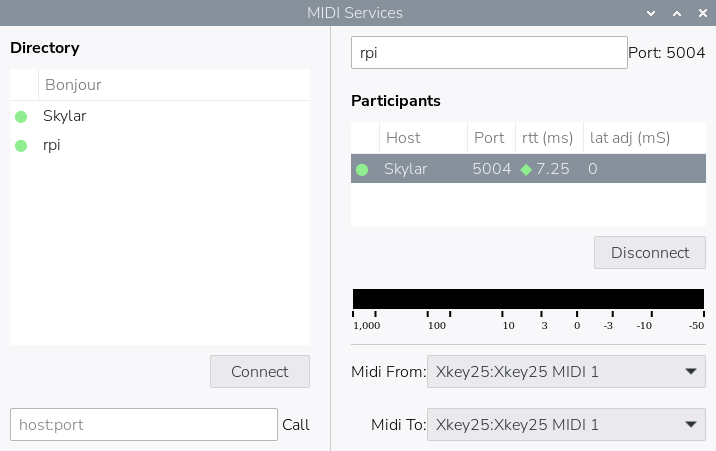
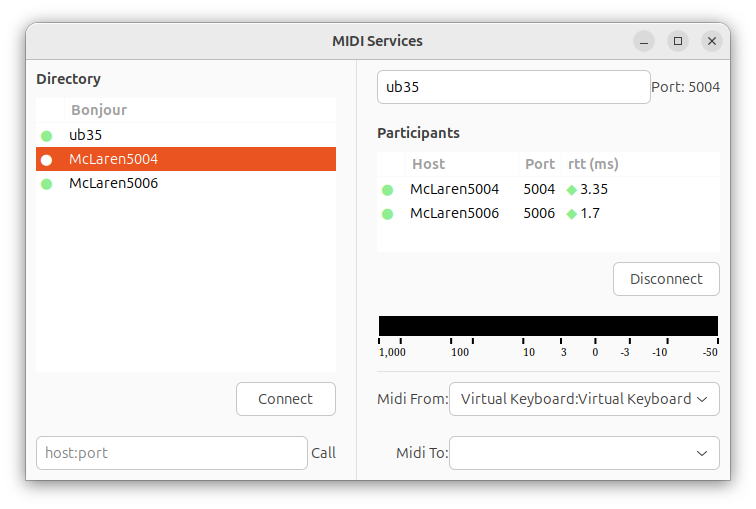
Screenshots
Release History
| Release | Date | Note |
|---|---|---|
| 2.1.0 | Apr 2026 | Debian 13 Universal release. Fewer OS-specific dependencies. |
| 2.0.0 | Aug 2024 | Latency adjustment feature. Refined event timing. |
| 1.1.2 | 2023 | Bookworm, Ubuntu 24.04 support. |
| 1.0.0 | 2022 | Major release with improved recovery journal. |
| 0.7.0 | 2021 | Multiple platform releases. |
| 0.5.0 | 2019 | Raspberry Pi 4 and Ubuntu 19 support. |